This module allows you to easily add a styled Google map to your website, integrating directly with geofields. You can customize the map with custom styles, markers, and popups, and even add multiple locations with clustering.
Create a styled Google map in as few steps possible. This module integrates as a geofield formatter, which means you can have all settings in one place. You have options that include setting a custom style, custom marker and custom marker icon.
Screenshots:


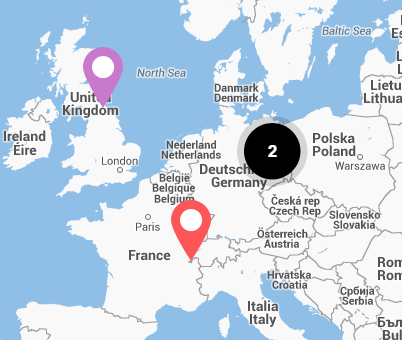
Main features/ functionalities:
- Easily add custom styles on your map:
See snazzy maps for some copy paste styles, also use this Github page to alter them to your liking! - Add custom markers:
You can add custom markers by using the Stream Wrapper module. An example image exists in the module. - Add a simple popup:
You can add a simple popup by selecting the content field you want to use. - Advanced teaser popups:
Create a more advanced popup with a textfield and picture by selecting the teaser view mode (or any other view mode if you are using Display Suite). A field group as fields wrapper works. - Customise map controls:
You can add or remove any control from the map. - Multiple locations and clustering:
Add multiple locations to the map by enabling the styled_google_views module (7.x-2.0, 8.x-2.0-alpha1). Simply create a view with the available Styled Google Map style plugin (see last screenshot). - Find the way to your point:
Integration with Directions service allows you to find the directions from any point to selected location (the coordinates should come from location field) - Demo submodule:
There is a demo submodule that allows you evaluate the module easily based on examples. - Google API Key usage:
under: admin/config/content/styled_google_map (7.x) OR admin/config/services/styled_google_map (8.x)
Requirements/ dependencies:
- This module has a dependency on the System Stream Wrapper module (Drupal 7). With it you can easily define your marker image location ex. theme://mytheme/images/pin.png
- For features with multiple locations, a core views module is required.
- Google Maps KEY
Useful resources:
- Module installation: https://www.drupal.org/docs/extending-drupal/installing-modules
Supporting organization
1xINTERNET is a full-service digital agency focusing on robust and innovative digital solutions based on Drupal. As a Gold Certified Drupal Partner and active community contributor, 1xINTERNET supports clients throughout their digital transformation journey.
Ask your assistant about Styled Google Map
Check compatibility with your Drupal and PHP version, maintenance and security coverage, from current release data. How it works
Depends on
Dependencies of the latest stable release
Required by
Tracked projects that depend on this one
No tracked projects depend on this one yet.
Activity
Release Timeline
Releases
| Version | Type | Core | PHP | Release date | |
|---|---|---|---|---|---|
| 3.0.0-alpha4 | Pre-release | 8–11 | Aug 5, 2025 | ||
| 3.0.0-alpha3 | Pre-release | 8–10 | Mar 12, 2025 | ||
| 8.x-2.7 | Stable | 8–11 | Mar 12, 2025 | ||
| 3.0.0-alpha2 | Pre-release | 8–10 | Mar 3, 2025 | ||
| 3.0.0-alpha1 | Pre-release | 8–10 | Nov 4, 2024 | ||
| 8.x-2.6 | Stable | 8–11 | Jul 8, 2024 | ||
| 8.x-2.5 | Stable | 8–10 | May 26, 2024 | ||
| 8.x-2.4 | Stable | 8–10 | May 26, 2024 | ||
| 3.x-dev | Dev | 8–11 | Jan 30, 2024 | ||
| 8.x-1.7 | Stable | 8–10 | Oct 12, 2023 |