Part of the MCP ecosystem · 11 projects
This module exposes Drupal capabilities to AI systems through a configuration-driven approach. It allows any Tool API plugin to become an AI tool and supports both STDIO (for command-line) and HTTP transports, secured by OAuth 2.1 authentication.
A lot of the code in this module has been created using an AI assistant using Strikethroo & Kenkeep for improved Drupal code generation.
Overview
MCP Server lets AI assistants work with your Drupal site through the Model Context Protocol. It exposes tools, resources, resource templates, and prompts over the STDIO and HTTP transports.
This module supports both the STDIO transport, as well as the HTTP transport.Key capabilities
No-code MCP tools
Any Tool API plugin becomes an MCP tool through configuration with MCP Server Tool Bridge.
OAuth 2.1 authorization
Per-tool scope checks with MCP Server OAuth and Simple OAuth.
Dual transport
STDIO through Drush for local clients, HTTP for remote clients.
Full protocol support
Built on the official MCP PHP SDK, MCP Server supports the full protocol.
Support for MCP resources Support for saved prompts Support for LLM sampling Support for authorization


Companion projects
Install these alongside MCP Server as needed.
Project What it adds MCP Server UI Admin pages at/admin/config/services/mcp-server: server settings, resource and resource template plugin settings, and prompt CRUD.
MCP Server Tool Bridge
Exposes Tool API tools as MCP tools. Manage the mappings at /admin/config/services/mcp-server/tools.
MCP Server OAuth
OAuth2 Bearer token authentication on /mcp and per-tool scope checks. Requires Drupal 11.
MCP Server Examples
Reference tool, resource template, and completion provider plugins.
composer require 'drupal/mcp_server_ui-mcp_server_ui:^1.0@beta'
composer require 'drupal/mcp_server_tool_bridge:^1.0@beta'
composer require 'drupal/mcp_server_oauth:^1.0@alpha'
composer require 'drupal/mcp_server_examples-mcp_server_examples:^1.0@beta'
MCP Server UI and MCP Server Examples use temporary Composer names. They will become drupal/mcp_server_ui and
drupal/mcp_server_examples</em> once <a href="https://git.drupalcode.org/project/project_composer/-/work_items/3583695">project_composer#3583695</a> is fixed.</div>
<h2>Requirements</h2>
<ul>
<li>Drupal 10 or 11</li>
<li>PHP 8.3 or higher</li>
<li>Drush 13 or higher, for the STDIO transport</li>
</ul>
<h2>Quick start</h2>
<pre><code class="language-bash">composer require 'drupal/mcp_server:^2.0@beta'
drush pm:enable mcp_server
Grant the Access MCP server permission to the roles that should reach the HTTP endpoint. It ships ungranted.
STDIO transport
The Drush command takes the user name or ID the session runs as. Tool calls check permissions against that account. Pass 0 for an anonymous session.
Example for Claude Desktop (~/Library/Application Support/Claude/claude_desktop_config.json):
{
  "mcpServers": {
    "drupal": {
      "command": "vendor/bin/drush",
      "args": ["mcp:server", "admin"],
      "cwd": "/path/to/your/drupal/site"
    }
  }
}
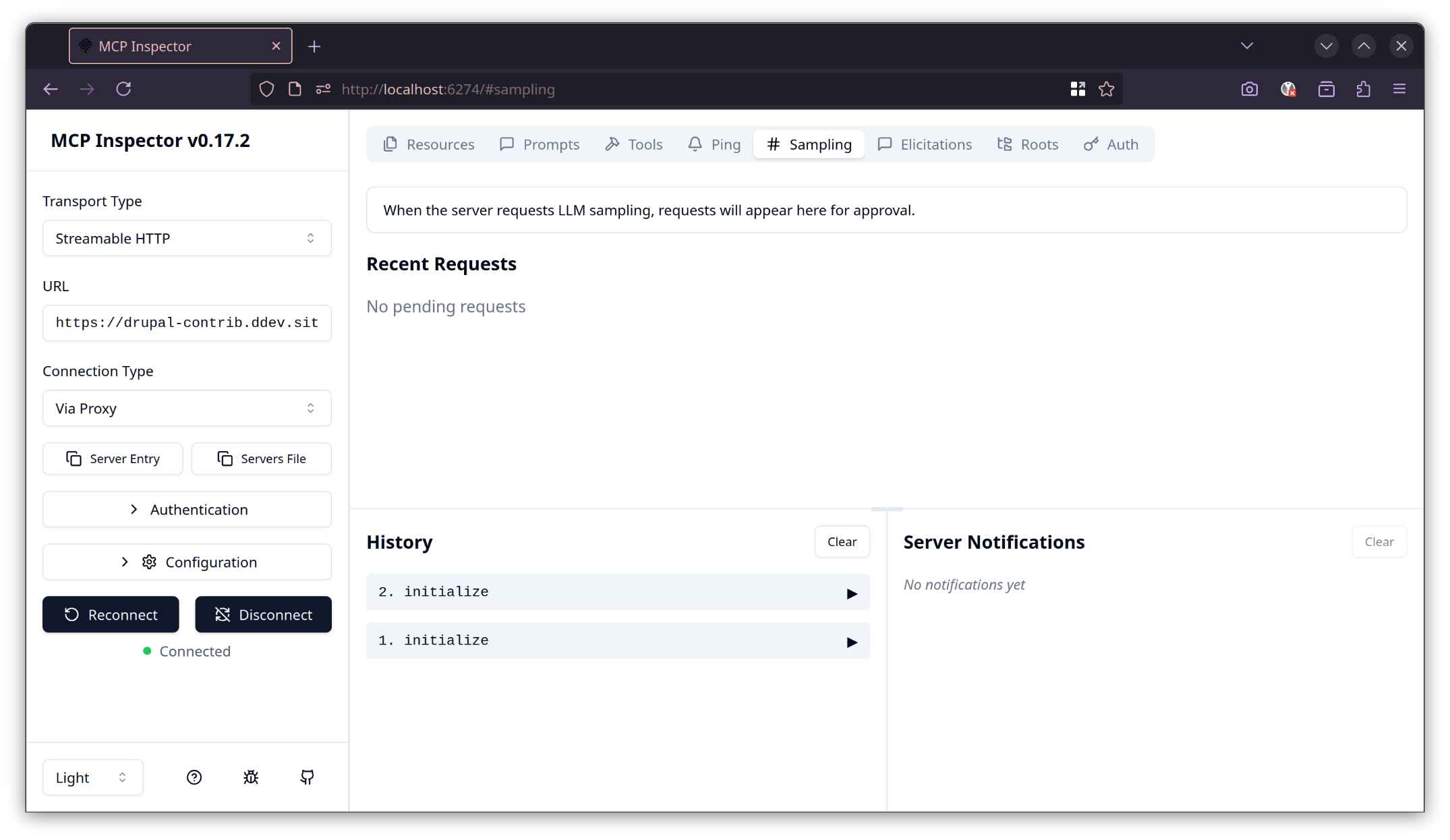
Test with the MCP Inspector:
npx @modelcontextprotocol/inspector vendor/bin/drush mcp:server admin
HTTP transport
The endpoint is https://your-drupal-site.com/mcp.
{
  "mcpServers": {
    "drupal-http": {
      "url": "https://your-drupal-site.com/mcp",
      "transport": "http"
    }
  }
}
Add it to Claude Code:
claude mcp add --transport http drupal https://your-drupal-site.com/mcp
Creating MCP tools
In code
A tool is a plugin in src/Plugin/mcp_server/Tool/ that extends ToolPluginBase and carries the #[Tool] attribute. MCP Server discovers it on cache rebuild. No configuration is needed.
namespace Drupal\my_module\Plugin\mcp_server\Tool;

use Drupal\Core\StringTranslation\TranslatableMarkup;
use Drupal\mcp_server\Attribute\Tool;
use Drupal\mcp_server\Plugin\ToolPluginBase;
use Mcp\Server\ClientGateway;

#[Tool(
  id: 'send_email',
  label: new TranslatableMarkup('Send Email'),
  description: new TranslatableMarkup('Sends an email to a recipient.'),
  inputSchema: [
    'type' => 'object',
    'properties' => [
      'to' => ['type' => 'string', 'description' => 'Recipient address.'],
      'subject' => ['type' => 'string'],
      'body' => ['type' => 'string'],
    ],
    'required' => ['to', 'subject', 'body'],
  ],
)]
final class SendEmail extends ToolPluginBase {

  public function execute(array $arguments, ClientGateway $gateway): mixed {
    return ['success' => TRUE];
  }

}
From Tool API, without code
- Install MCP Server Tool Bridge and a module that provides Tool API tools, such as Tool Belt.
- Go to
/admin/config/services/mcp-server/toolsand add a tool configuration. - Pick the Tool API tool and give it a machine name. A machine name of
my_toolis listed to clients astool_api__my_tool. - With MCP Server OAuth enabled, set the authentication mode and required scopes on the same form.
Authorization
Core MCP Server ships no authorization policy beyond the Access MCP server permission and the permissions of the acting user. Every tool call dispatches the SDK's Mcp\Event\RequestEvent, and companion modules subscribe to it.
MCP Server OAuth adds Bearer token authentication to /mcp. Each Tool Bridge tool gets one of two modes:
- Required: the token must carry every listed scope. Calls fail with HTTP 401 without a token and HTTP 403 with missing scopes.
- Disabled: no token check. Use this only for public, read-only tools.
It also publishes the tool scopes in the /.well-known/oauth-protected-resource metadata, so clients can discover the authorization server from the 401 response.
For API keys, mTLS, or role checks, write your own RequestEvent subscriber and throw McpAuthorizationDeniedException to deny a call.
Note: The author of MCP Server also authored and maintains Simple OAuth and Simple OAuth 2.1.
Testing with the MCP Inspector
Related projects
- Tool API: the tool plugin system the Tool Bridge exposes
- Tool Belt: ready-made Tool API tools
- Simple OAuth: the OAuth2 server MCP Server OAuth builds on
Resources
Contributing
Report bugs and propose changes in the work items. Issues for the UI, Tool Bridge, and OAuth go in those projects' own queues.
Credits
MCP Server integrates the official MCP PHP SDK, a collaboration between the PHP Foundation and the Symfony project. The Symfony MCP Bundle inspired its architecture.
Ask your assistant about MCP Server
Check compatibility with your Drupal and PHP version, maintenance and security coverage, from current release data. How it works
Depends on
Dependencies of the latest stable release
No dependencies recorded for this project.
Required by
Tracked projects that depend on this one
No tracked projects depend on this one yet.
More in the MCP ecosystem
Most installed first
Activity
Release Timeline
Releases
| Version | Type | Core | PHP | Release date | |
|---|---|---|---|---|---|
| 2.0.0-beta6 | Pre-release | 10–11 | PHP ^8.3 | Oct 14, 2026 | |
| 2.0.0-beta5 | Pre-release | 10–11 | PHP ^8.3 | Sep 23, 2026 | |
| 2.0.0-beta4 | Pre-release | 10–11 | PHP ^8.3 | Sep 18, 2026 | |
| 2.0.0-beta3 | Pre-release | 10–11 | PHP ^8.3 | Sep 17, 2026 | |
| 2.0.0-beta2 | Pre-release | 10–11 | PHP ^8.3 | Sep 2, 2026 | |
| 2.0.0-beta1 | Pre-release | 10–11 | Jul 29, 2026 | ||
| 2.0.0-alpha1 | Pre-release | 10–11 | Jun 11, 2026 | ||
| 2.x-dev | Dev | 10–11 | Apr 19, 2026 | ||
| 1.x-dev | Dev | 10–11 | Nov 15, 2025 |