Part of the Insert ecosystem · 4 projects
This module provides a CKEditor plugin to easily embed Drupal views into content, offering live previews and control over which views are available. It also optimizes performance through Drupal placeholders, improving compatibility with BigPipe for faster page loading and view rendering.
Advanced Insert View module features a built-in CKEditor plugin for easy views embedding.
It provides live previews, allows users to control which views are inserted, and optimises performance using Drupal placeholders.
This version utilises the power of Drupal 8, 9 and 10 and simplifies contextual filter handling. It's also compatible with the BigPipe module for faster page loading and view rendering.
Screenshots:





Main features/ functionalities:
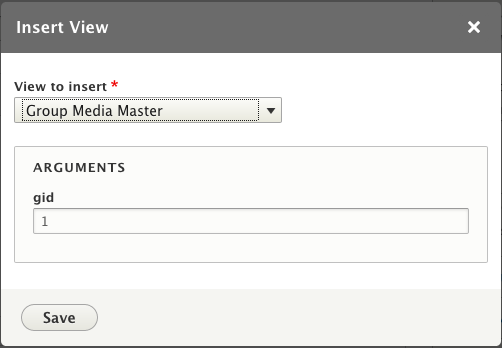
- Built-in CKEditor Plugin: This module includes a CKEditor plugin that allows users to embed views into the content easily. and provides a user-friendly interface with a toolbar button and a dialog for selecting the view to add to the page. The dialog also displays available contextual filters with human-readable field labels and provides autocomplete for entity reference filters.
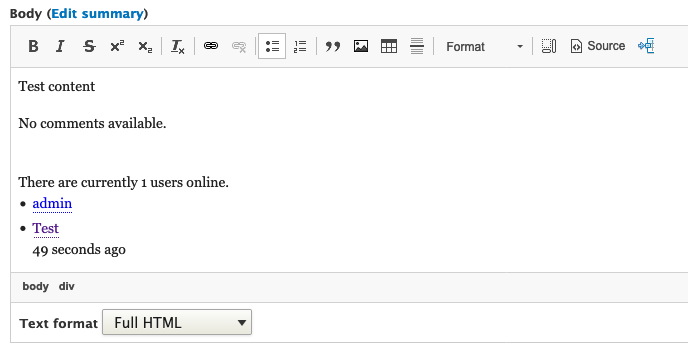
- Live Preview in CKEditor: The CKEditor plugin offers a live preview of the selected view within the editor. Users can see how the view will appear as they insert it or modify arguments in the dialog. This feature can be enabled or disabled per content format.
- Control Over Inserted Views: Users have the ability to limit the list of available views in the dialog based on the content format they are using. When inserting a view using a token, the view will only be rendered if it is allowed in the module's settings.
- Improved Performance: This module addresses performance issues related to entity caching by using Drupal placeholders. This optimises performance by caching the entity and inserted view separately. The placeholders are designed to work with the BigPipe module, ensuring fast page loading and timely view rendering.
- Alternative Syntax for Inserting Views: In addition to traditional tag syntax, the CKEditor plugin provides an alternative way to insert views, making it easier for users who are not comfortable with tag syntax.
- Contextual Filter Information: The dialog displays information about contextual filters available for the selected view, including field labels and autocomplete for entity reference filters.
- Compatibility with BigPipe: The placeholders used in the module are designed to work seamlessly with the BigPipe module, ensuring fast page loading and on-demand view rendering.
Requirements/ dependencies:
- Core views module
Installation:
Old method, but still available:
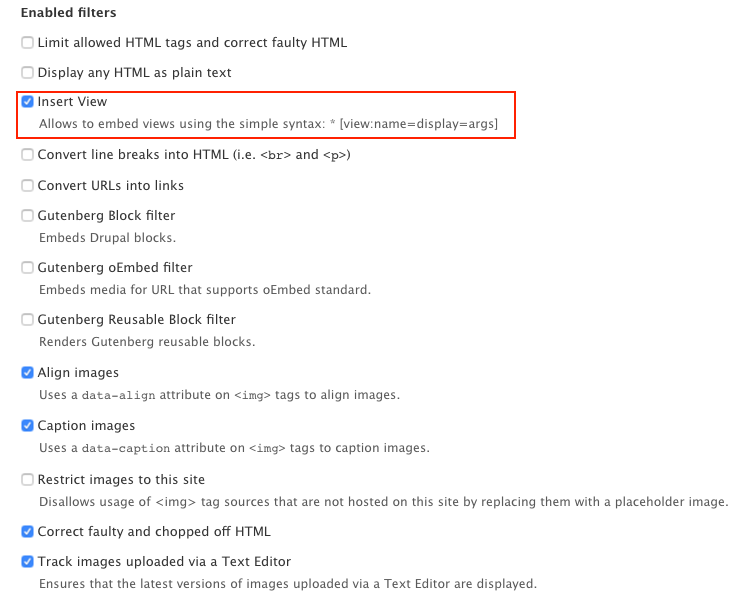
Insert view filter allows to embed views using tags. The tag syntax is relatively simple: [view:name=display=args]. The parameters are: view name, view display id, view arguments. For example [view:tracker=page=1] says, embed a view named "tracker", use the "page" display, and supply the argument "1". The display and args parameters can be omitted. If the display is left empty, the view's default display is used. Multiple arguments are separated with slash. The args format is the same as used in the URL (or view preview screen).
Valid examples:
[view:my_view]
    [view:my_view=my_display]
    [view:my_view=my_display=arg1/arg2/arg3]
    [view:my_view==arg1/arg2/arg3]
New method:
use "Insert view" button from CKEditor toolbar with a dialog to add the view with contextual filters to the page.
Useful resources:
Related modules/ compatible modules:
Supporting organization
1xINTERNET is a full-service digital agency focusing on robust and innovative digital solutions based on Drupal. As a Gold Certified Drupal Partner and active community contributor, 1xINTERNET supports clients throughout their digital transformation journey.
Ask your assistant about Advanced Insert View
Check compatibility with your Drupal and PHP version, maintenance and security coverage, from current release data. How it works
Depends on
Dependencies of the latest stable release
- editor Drupal core
- filter Drupal core
- views Drupal core
Required by
Tracked projects that depend on this one
No tracked projects depend on this one yet.
More in the Insert ecosystem
Most installed first
Activity
Release Timeline
Releases
| Version | Type | Core | PHP | Release date | |
|---|---|---|---|---|---|
| 2.0.0 | Stable | 8–11 | Jan 29, 2026 | ||
| 2.0.0-alpha4 | Pre-release | 8–11 | Nov 13, 2024 | ||
| 2.0.0-alpha3 | Pre-release | 8–10 | Mar 2, 2024 |